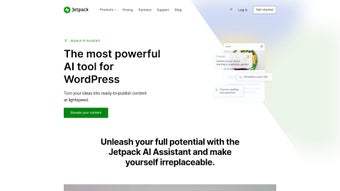

Download Jetpack – AI Writing Assistant for WordPress
Jetpack AI Assistant is a web‑based, AI‑driven writing tool that plugs directly into your WordPress dashboard and turns the often‑tedious content‑creation process into a conversational experience. By mimicking a friendly colleague, the assistant lets you type prompts in plain language and instantly receives a polished draft—whether you need a full‑length blog post, a product description, a structured list, or even a complex table. The platform’s adaptive tone engine automatically matches the voice you specify, while built‑in spelling and grammar correction guarantees error‑free output.
Jetpack also generates SEO‑friendly titles and concise summaries, helping you save time on meta‑tags and social snippets. For multilingual sites, the AI‑powered translation feature supports dozens of languages, breaking down barriers and expanding audience reach. A free tier grants up to 20 requests per month, making it ideal for hobbyists or small businesses testing the waters.
Power users can upgrade to a premium plan for unlimited requests, higher‑volume processing, and priority support. Whether you’re a solo blogger, an agency managing multiple client sites, or an e‑commerce store looking to scale content, Jetpack AI Assistant offers a secure, continuously updated solution that integrates seamlessly with the WordPress ecosystem.
Key Features that Supercharge Your WordPress Content
- Conversational Prompting: Write prompts as you would speak to a coworker; the AI understands context and delivers ready‑to‑publish drafts.
- Adaptive Tone Adjustment: Choose from formal, casual, persuasive, or brand‑specific tones, and the assistant will tailor the language accordingly.
- Advanced Spelling & Grammar Engine: Real‑time correction ensures every piece meets professional editorial standards.
- Automatic Title & Summary Generation: Generate SEO‑optimized headlines and meta descriptions in a single click.
- Rich Content Structures: Build tables, bullet‑point lists, FAQs, and step‑by‑step guides without leaving the editor.
- Multilingual AI Translation: Translate content into over 30 languages, preserving nuance and SEO relevance.
- Integration with WordPress Gutenberg: Insert AI‑generated blocks directly into Gutenberg, preserving formatting and styling.
- Free Tier with 20 Monthly Requests: Test the tool without commitment; upgrade for unlimited usage.
- Premium Plan Benefits: Unlimited requests, higher‑speed processing, bulk generation, and priority customer support.
- Secure Cloud Processing: All data is encrypted in transit and at rest, complying with GDPR and CCPA standards.
Installation, Setup, and Daily Workflow
Getting started with Jetpack AI Assistant is intentionally frictionless. First, navigate to the Jetpack plugin page on the WordPress.org repository and click “Install Now.” After activation, you’ll be prompted to connect your WordPress.com account—this step is required because the AI engine runs on Jetpack’s cloud infrastructure. Once linked, a new “AI Assistant” block appears in the Gutenberg editor toolbar.
The initial setup wizard walks you through selecting your preferred language, default tone, and the number of monthly free requests you wish to allocate. If you decide to upgrade, the wizard seamlessly redirects you to the Jetpack pricing page, where you can select the Premium or Professional plan and complete payment via Stripe or PayPal. After purchase, the additional quota is applied instantly.
Daily use is as simple as adding an “AI Assistant” block to any post or page. Type a prompt such as “Write a 800‑word blog post about sustainable travel tips” and hit “Generate.” Within seconds, the AI produces a fully formatted draft with headings, sub‑headings, and a call‑to‑action. You can refine the output by clicking “Regenerate,” “Adjust Tone,” or “Add More Sections.” The tool also supports “Insert Table” and “Create List” commands, allowing you to build complex data presentations without manual HTML coding. All edits remain in the native Gutenberg interface, so you retain full control over final styling, SEO plugins, and publishing schedules.
Conclusion – Pros, Cons, FAQs, and Why You Should Download Jetpack Today
Operating System Compatibility
Jetpack AI Assistant is a cloud‑based service accessed through any modern web browser, making it compatible with Windows, macOS, Linux, Android, and iOS devices.
Pros
- Seamless WordPress integration with Gutenberg block support.
- Conversational UI reduces the learning curve for non‑technical users.
- Adaptive tone and multilingual translation expand audience reach.
- Free tier allows testing before committing to a paid plan.
- Secure, GDPR‑compliant data handling ensures privacy.
Cons
- Free version limited to 20 requests per month, which may be insufficient for high‑volume bloggers.
- Premium pricing is subscription‑based, adding recurring cost.
- AI-generated content may still require human review for brand‑specific nuances.
- Dependent on internet connectivity; offline use is not supported.
- Advanced formatting (e.g., custom CSS) must be applied manually after generation.
Frequently Asked Questions
Is Jetpack AI Assistant really free?
Yes, Jetpack offers a free tier that includes up to 20 AI requests per month. This is perfect for occasional users or those who want to test the tool before upgrading.
Can I use Jetpack AI Assistant on mobile devices?
Absolutely. Since the assistant runs in the browser, any modern mobile browser on Android or iOS can access the full feature set.
How does the translation feature work?
After generating content in your primary language, you can click “Translate” and select a target language. The AI uses neural‑machine translation to produce a version that maintains tone and SEO relevance.
Do I need a Jetpack.com account?
Yes, the AI engine is hosted on Jetpack’s cloud platform, so linking a WordPress.com (Jetpack) account is required for authentication and usage tracking.
What kind of support is available for premium users?
Premium subscribers receive priority email support, live chat during business hours, and access to a dedicated knowledge base with advanced troubleshooting guides.
Final Verdict and Call to Action
Jetpack AI Assistant bridges the gap between creativity and efficiency for WordPress creators. Its conversational interface, robust feature set, and secure cloud processing make it a standout choice for anyone looking to streamline content production without sacrificing quality. While the free tier’s request limit may feel restrictive for high‑volume sites, the premium plans deliver excellent value through unlimited usage and priority support. If you’re ready to cut down writing time, improve SEO consistency, and reach a global audience with multilingual content, there’s no better moment to download Jetpack and start leveraging AI in your WordPress workflow today.






